
Bodic Portfolio Portal
Turn your portfolio reporting into strategic infrastructure — and your portfolio into an active network. Structured KPI collection, index benchmark, thematic clubs and portfolio company networking.
Why move beyond the simple Excel template?
Most funds structure their reporting via:
- a standardised Excel template
- monthly email collection
- manual consolidation
- a BI dashboard
That is a first step.
But it remains fragile:
- format dependency
- no robust historisation
- difficulty to benchmark
- no smart interaction with portfolio companies
A dashboard is never more reliable than the data it consolidates.
Embrace heterogeneity, structure the data
The Portfolio Portal module enables:
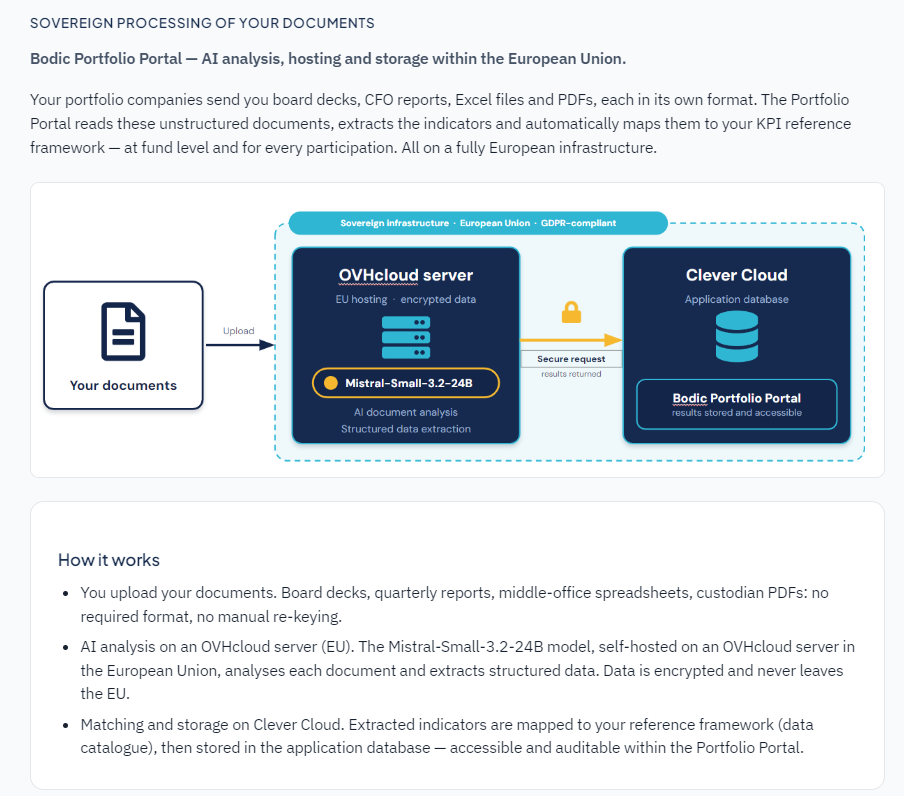
- Multi-format upload (Excel, PDF, CSV)
- Assisted KPI extraction
- Human validation of detected values
- Automatic structuring in a historised database
Human-in-the-loop approach: technology accelerates, humans validate.
Key features
KPI collection campaigns
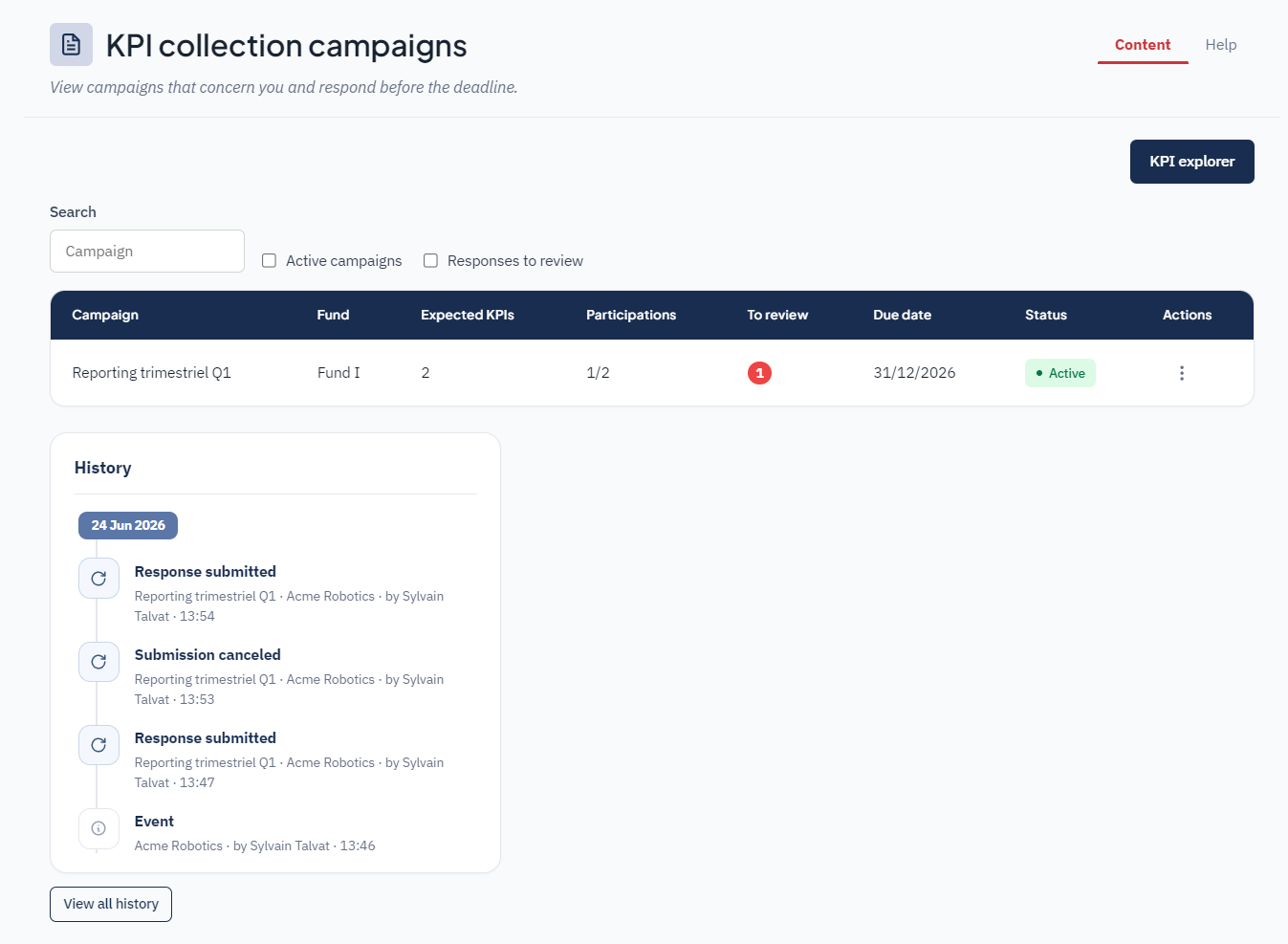
Monthly or quarterly campaigns, assignment by fund or organisation, status tracking (to complete, submitted, overdue), automated reminders.
Integrated Data Catalogue
KPI definition (FR / EN), type (Number, %, Currency, Text), unit, category, mandatory KPIs, definition historisation.
Extraction & Validation
Secure file upload, automatic indicator detection, validation interface for extracted values, change traceability.
Consolidated dashboards
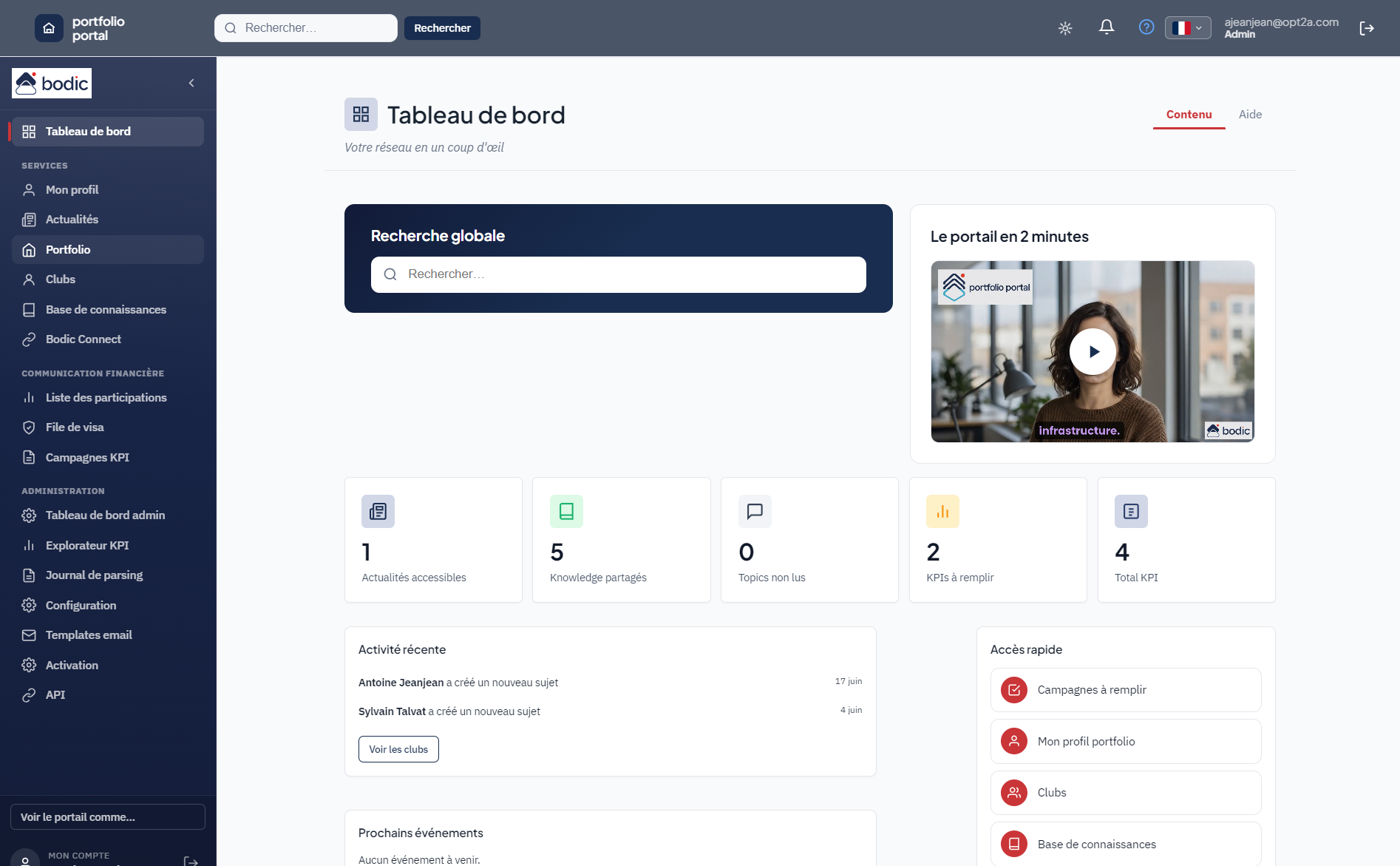
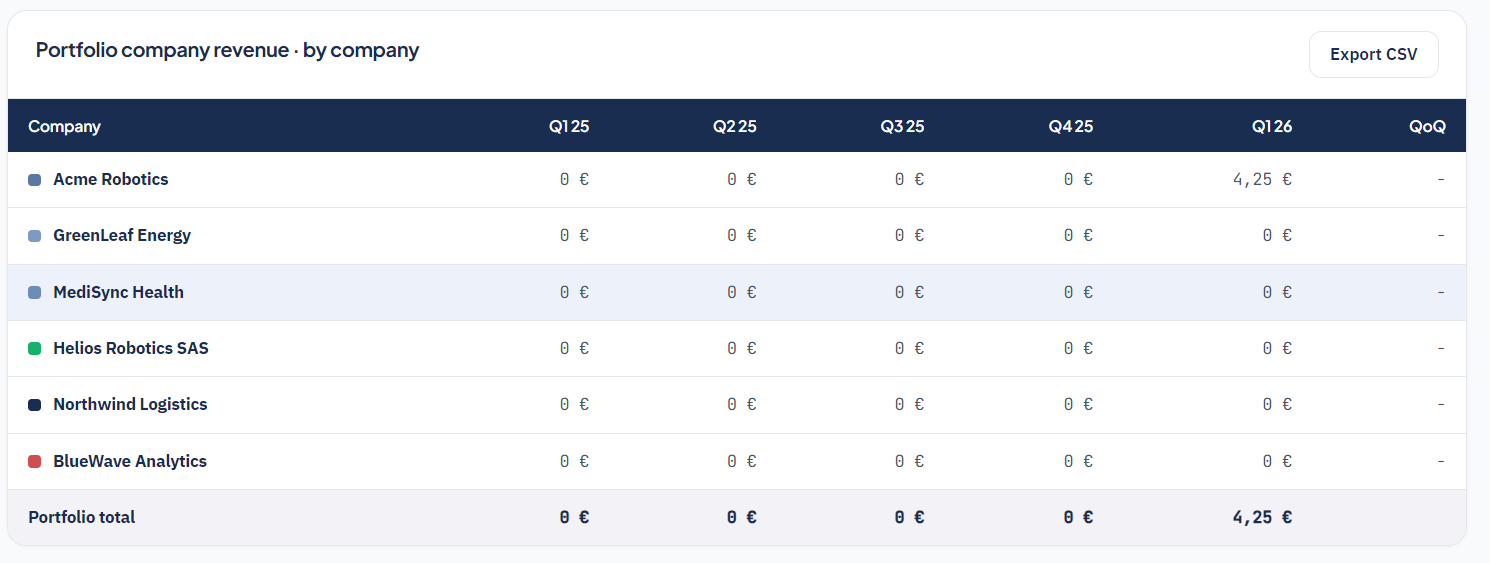
Aggregated portfolio view, TTM tracking, growth, burn multiple, CSV / API export. The dashboard consolidates your KPI campaigns (active, to complete, overdue), your clubs, upcoming events and the latest network news.
Load a company's history from an Excel or CSV file, with indicator rows and period columns, or enter it period by period, annually, quarterly or monthly. AI-assisted extraction remains the default route for unstructured documents. All three paths feed the same historised database.
Fund news, internal portfolio communication.
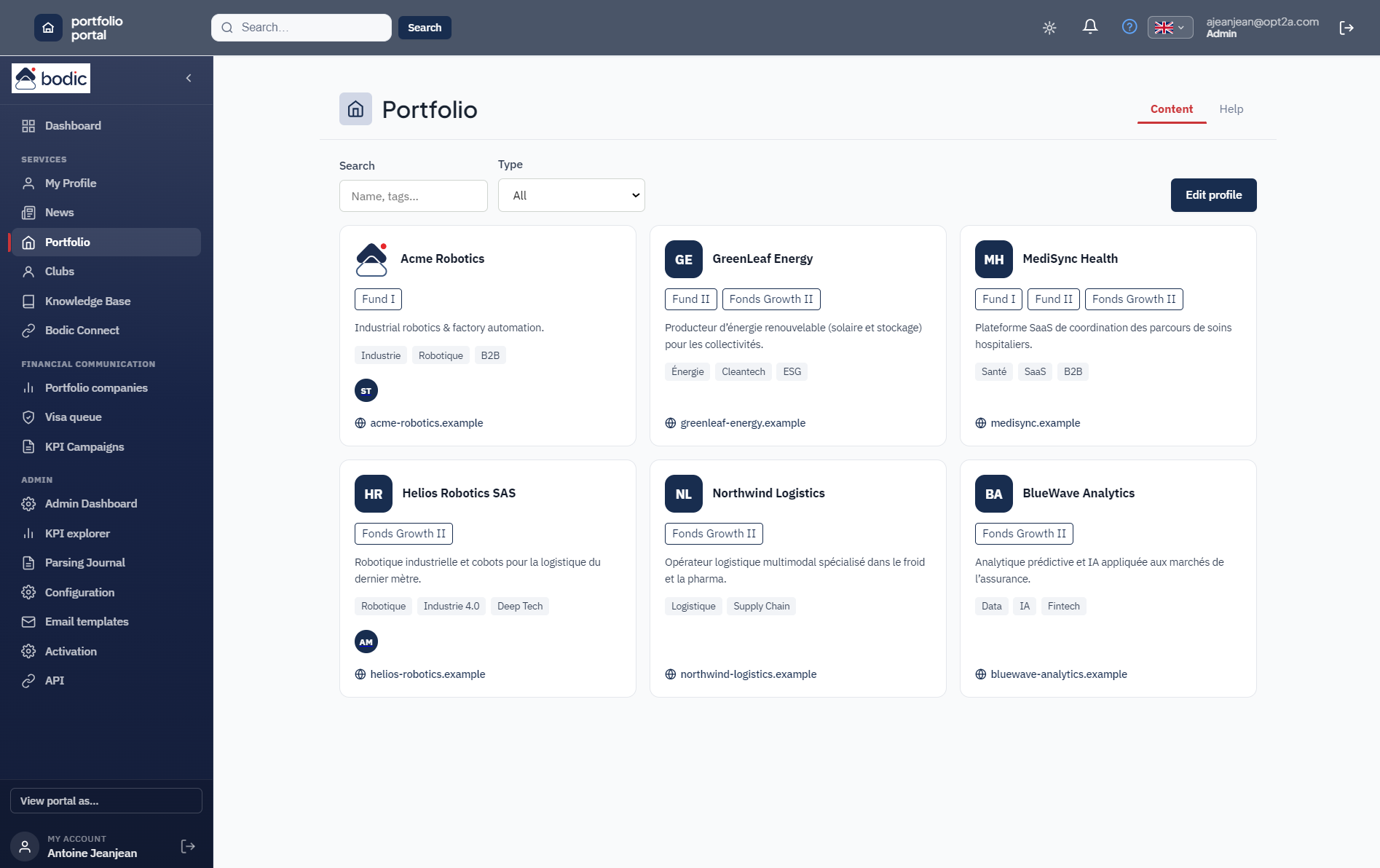
Portfolio company directory with sector filters and summary presentation. Networking between portfolio company teams now runs through Portfolio Clubs: rich profiles, direct messaging and network events.
Thematic groups are now powered by Portfolio Clubs — a full community experience with messaging, events, expert profiles and a Knowledge Base.
Portfolio Clubs — your portfolio network
Create thematic communities within your portfolio: knowledge sharing, networking, events and shared intelligence — directly in the portal.

Thematic clubs
Create clubs by function (CFO, CTO, Legal, Compliance, ESG, HR…) or by theme. Each club has its objectives, a moderator and members from the portfolio companies.

Expert directory
Each member has a rich profile: job title, bio, areas of expertise, LinkedIn link. A searchable directory per club makes it easy to find the right contact in the network.

Instant messaging
Each club has discussion topics with integrated instant messaging. Replies, threads and real-time conversations — directly in the portal.

Events & agenda
Organise events by club: workshops, roundtables, webinars. Each event has its title, description, dates, location, price and an external link. Integrated calendar view.

Knowledge Base
Share documentation resources within the network: studies, benchmarks, guides, best practices. Filter by category and type. Each club can build its own knowledge base.

Native multilingual
The entire portal and clubs are available in 6 languages: French, English, German, Spanish, Portuguese and Italian. Each user chooses their interface language.
Architecture
Hosted in France: application at Clever Cloud, Mistral LLM at OVHcloud.

Structured, high-performance storage of KPI data and metadata.
Data isolation by organisation and fund.
Role and scope-based access control.
Integration with your tools and data export.
The portal installs on a phone's home screen and is built for touch: lists and tables as cards, data entry without unwanted zoom, and respect for notches and safe areas. Quick lookups no longer require a desktop.
Interface in multiple languages and built-in two-factor authentication.
Security
Compliant with standards expected by asset managers.
Controlled login and secure sessions.
Two-factor authentication to strengthen access.
Data and attachments encrypted at rest.
No data leakage between clients.
Traceability of actions and access.
Disaster recovery and business continuity ensured.
A look inside the app
A few Portfolio Portal screens, from financial steering to administration.
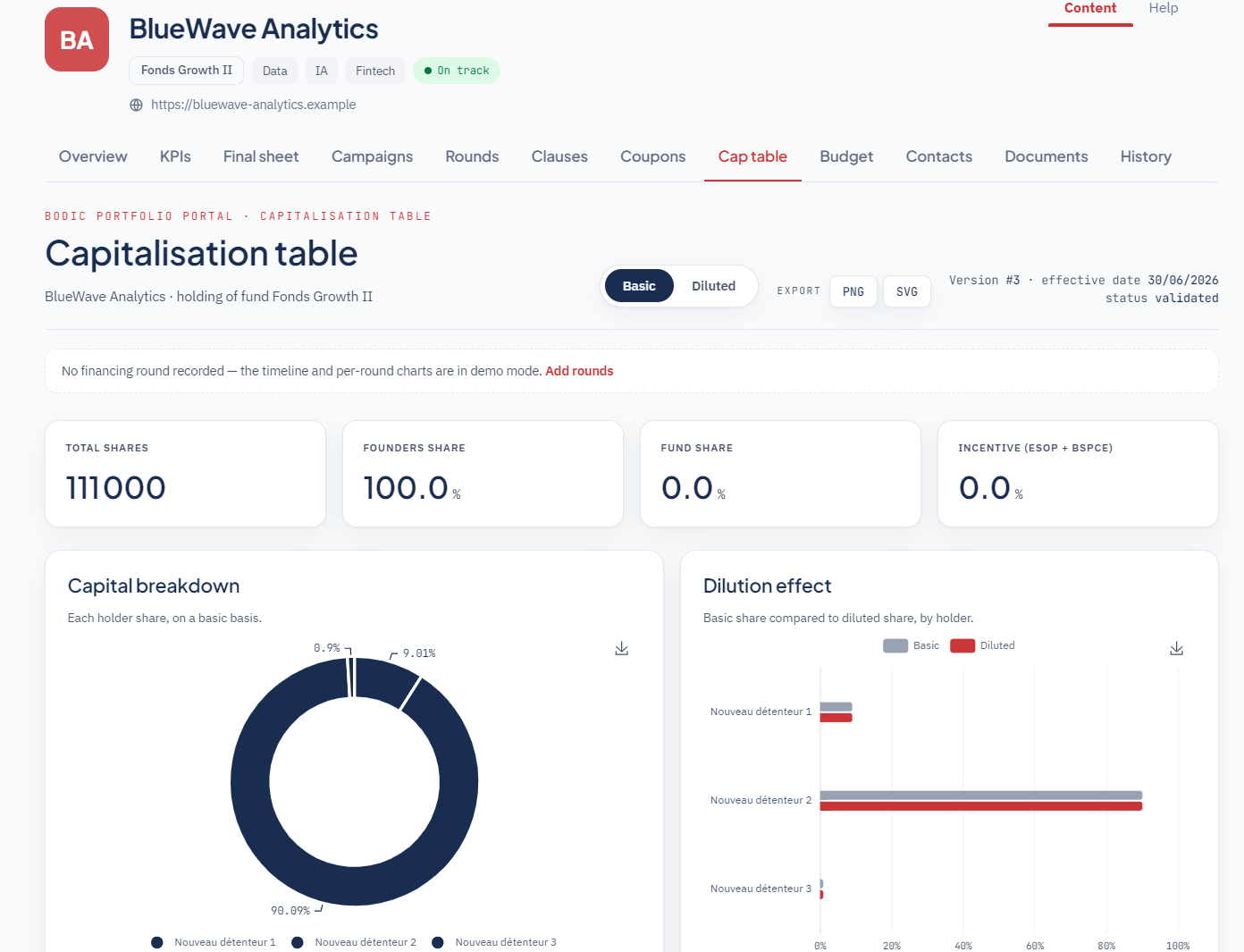
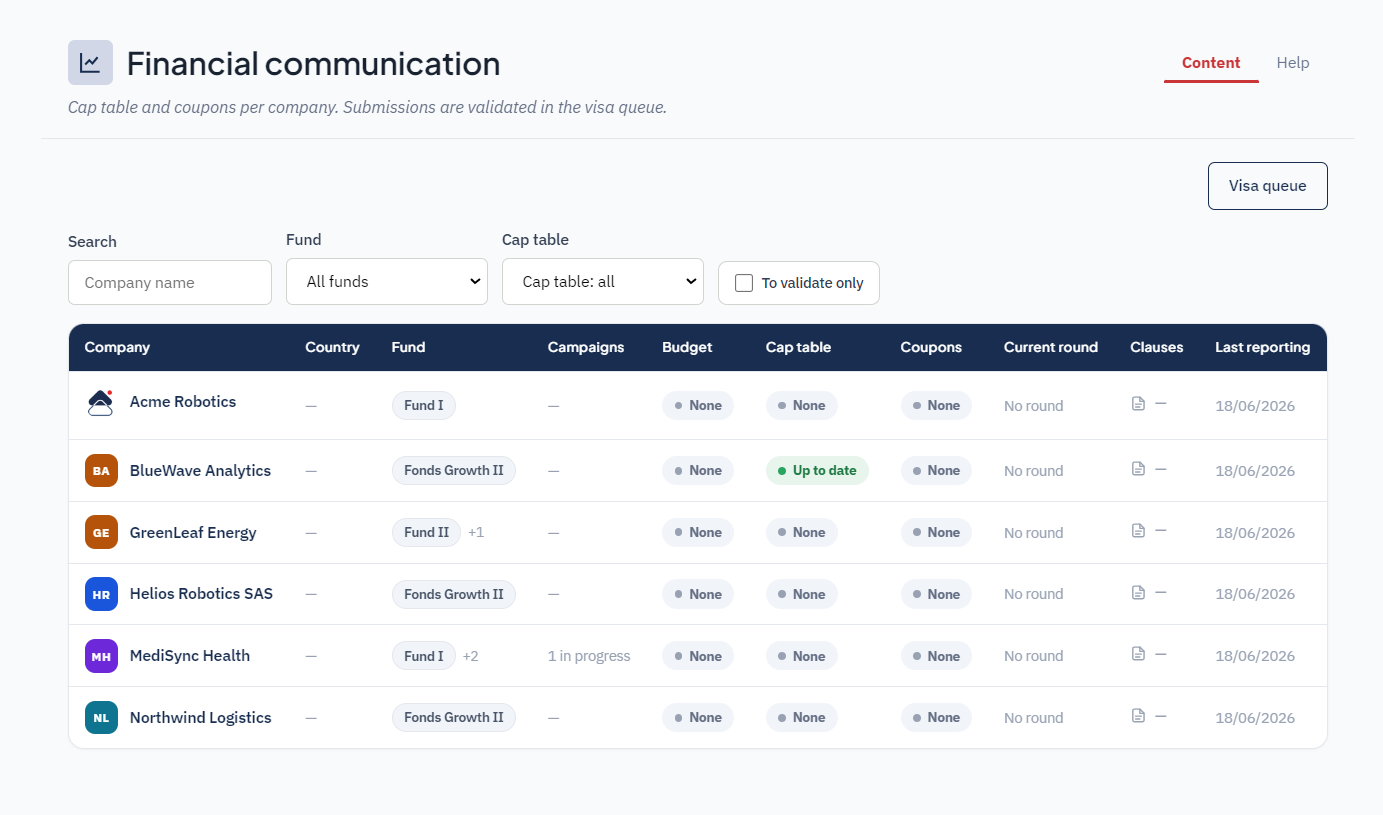
Capitalization tables
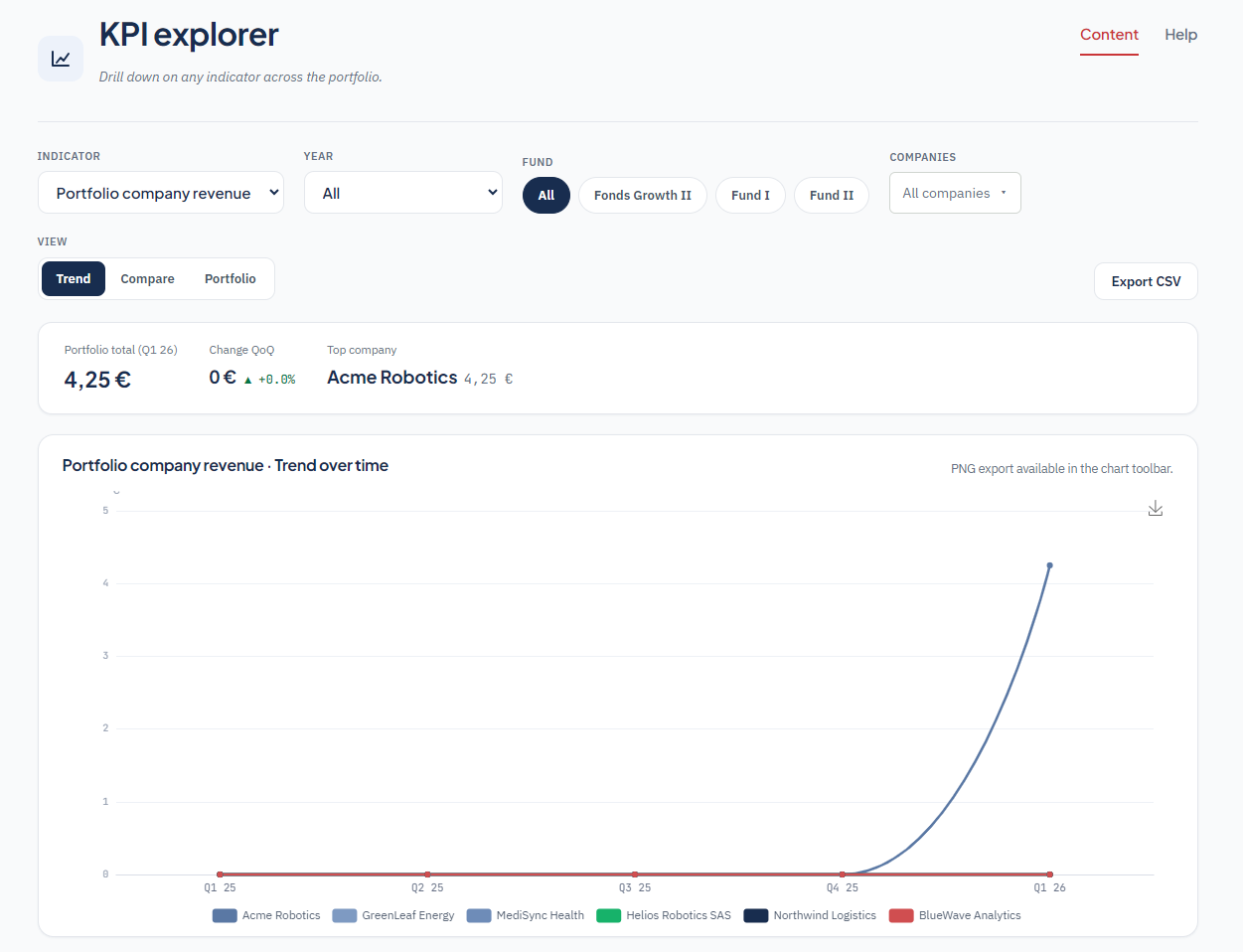
KPI explorer
Financial communication
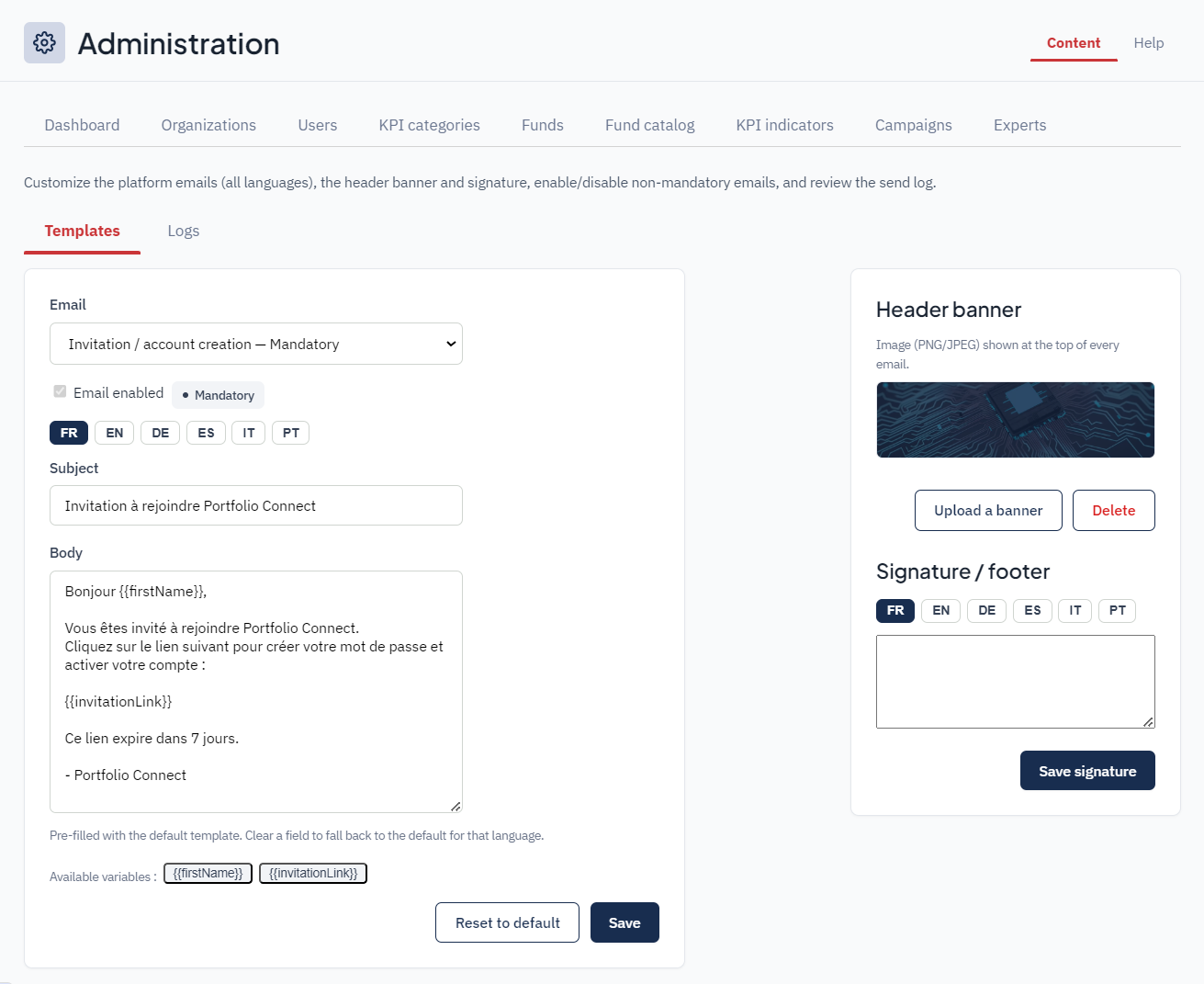
Email templates
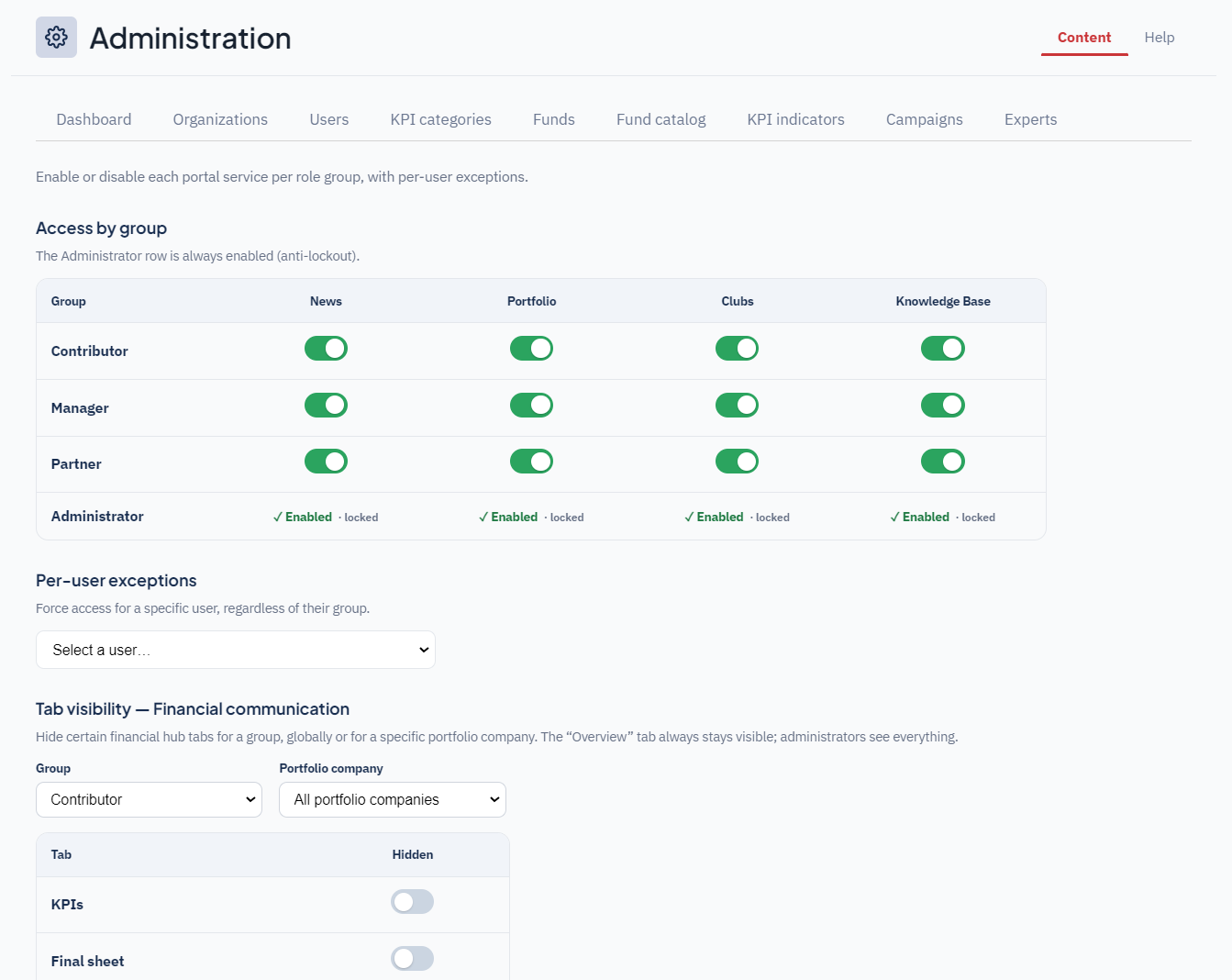
Access configuration
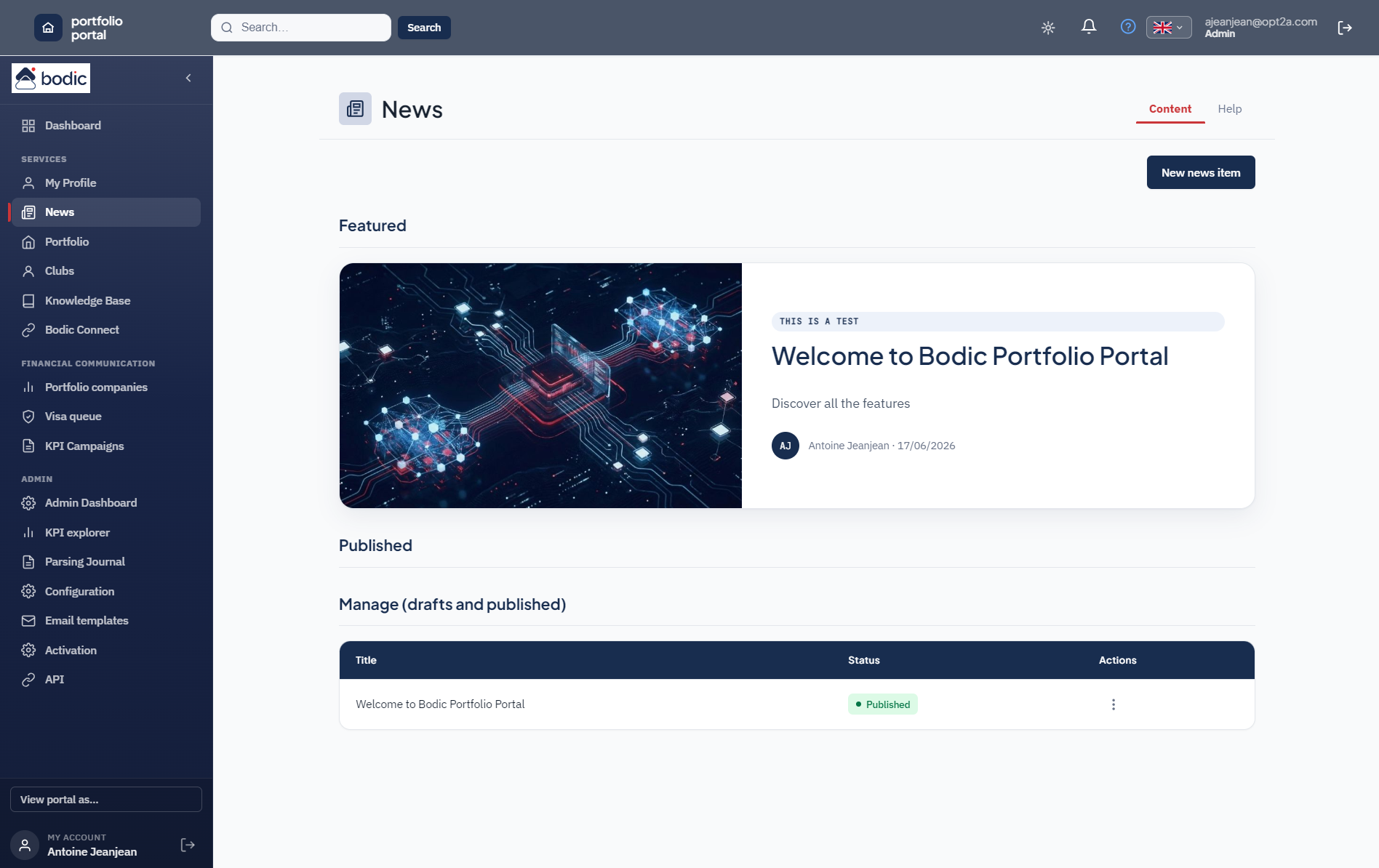
Portfolio news
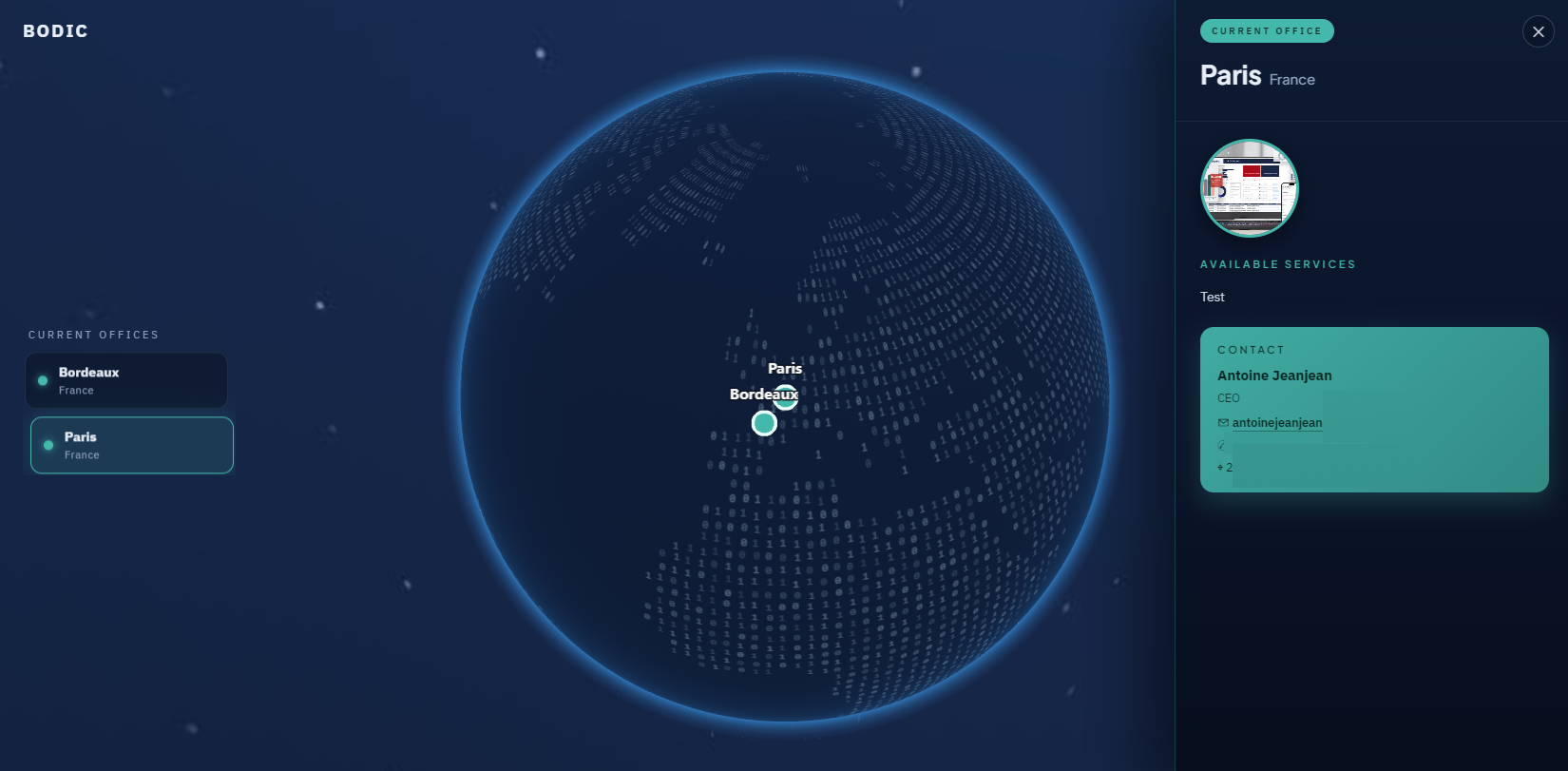
Offices and locations
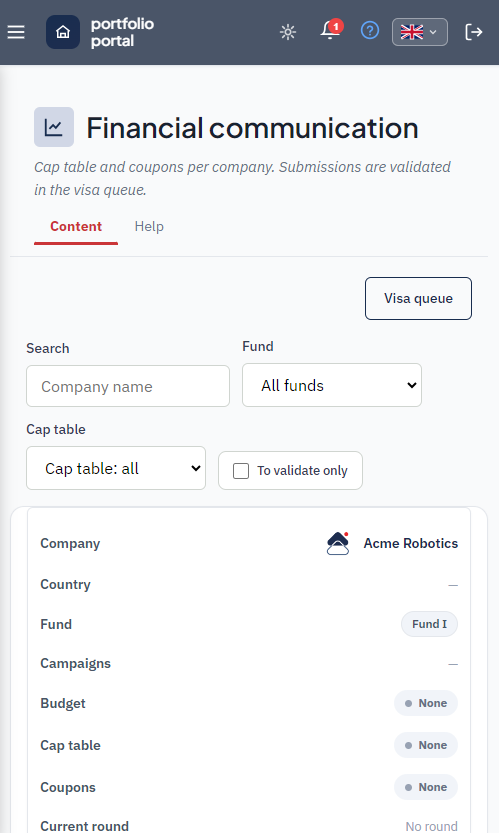
Mobile app
Use cases
Consolidated tracking and early signals.
- Consolidated monthly tracking
- Early anomaly detection
- Investment committee preparation
Data structuring and accelerated reporting.
- Data structuring
- Accelerated LP reporting
- Robust historisation
- Tooled history migration: a portfolio company's past KPIs are loaded by file import or period-by-period entry, with no technical involvement
Simple interface and network access.
- Simple KPI entry interface
- Anonymised benchmark view
- Portfolio network access via Clubs (messaging, events, experts)
- Shared Knowledge Base and documentation resources
- Genuine mobile access: review open requests, read a budget again or respond to a campaign from a phone, without a desktop
Differentiation
Unlike a patchwork of tools:
- A unified architecture
- Structured data from the start
- A platform approach
- A base ready for AI
- An integrated community network (Clubs, messaging, events) — unique in the portfolio monitoring market
A module designed to turn fragile reporting into a lasting competitive advantage.
The latest updates
Portfolio Portal keeps evolving. Here are the main recent additions.
A world globe displays your locations across the world. Clicking a city, either on the globe or in the list, opens a sheet with the office photos, its services and its contact. Upcoming openings are flagged, and closed offices do not appear. Setup happens in the admin area with assisted entry: you pick the country then the city, and the coordinates fill in automatically.
Portfolio company descriptions and your office services are entered in all six portal languages, with assisted machine translation. Every user reads the portal in their own language.
Free navigation through history beyond the last five quarters, filtering by year, and a choice of how many decimals are shown. Charts switch between bars and a line and handle negative values. The summary table shows every indicator the firm tracks, rather than a fixed list.
KPI order is set by drag and drop in the admin area. It is applied everywhere: menus, budget, explorer and company sheets.
Loading a portfolio company's history is often the sticking point of a rollout. A dedicated screen allows period-by-period entry (annual, quarterly or monthly), and a "classic" import reads an Excel or CSV file structured with one row per indicator and one column per period. You map rows to indicators and columns to periods, review, then confirm. AI-assisted extraction remains available for unstructured documents. The same mechanism now applies to budgets.
A new "Year total" column. Entering a total offers to spread it automatically across quarters or months; changing a period updates the total.
Investment date, company valuation at entry, management ownership at entry, add-on acquisitions, proceeds received, and the quarter of the latest fair value. Each field can carry a free-text note, carried over into the fund report in PDF. Five fields that were never printed now appear in that report.
Lists and tables, including the admin area, render as readable cards on mobile. Installed on the home screen, the app respects notches and data entry no longer triggers unwanted zoom. The portal can be checked between two meetings, not just at the office.
What the portal feeds, and what feeds it
The Portfolio Portal is not a tool on its own: it shares its campaign engine, its users and its permissions with the rest of the platform.
Ready to structure your portfolio?
Request a personalised demo of the Portfolio Portal module.